WhatsApp Inbox for the team
Customer replies come into the app. Your staff answer from their phones on the company number, send photos, PDFs and quotations, and every chat goes to the right salesperson.
“Team kahan hai, kya kaam hua?” Phone karke poochhna band karo.
Where is the staff? What happened to that lead? Did the payment come in? LMS CRM puts leads, quotations, service calls, WhatsApp, attendance and salary in one app. Your team works from their phones. You see everything — without a single follow-up call.
Or start a 7-day free trial. No payment needed for the trial.
Made in Nagpur for businesses with staff in the field · Hindi & English support · Android app + web
Every stop is recorded as it happens, so managers don't need to call for updates.
Real screens of the app (sample company data). Tap play, or swipe through the screens.
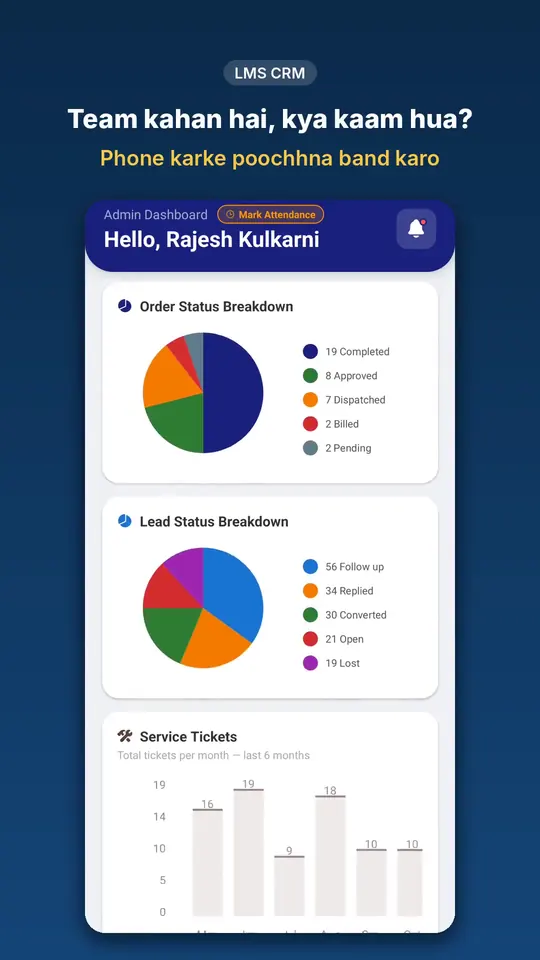
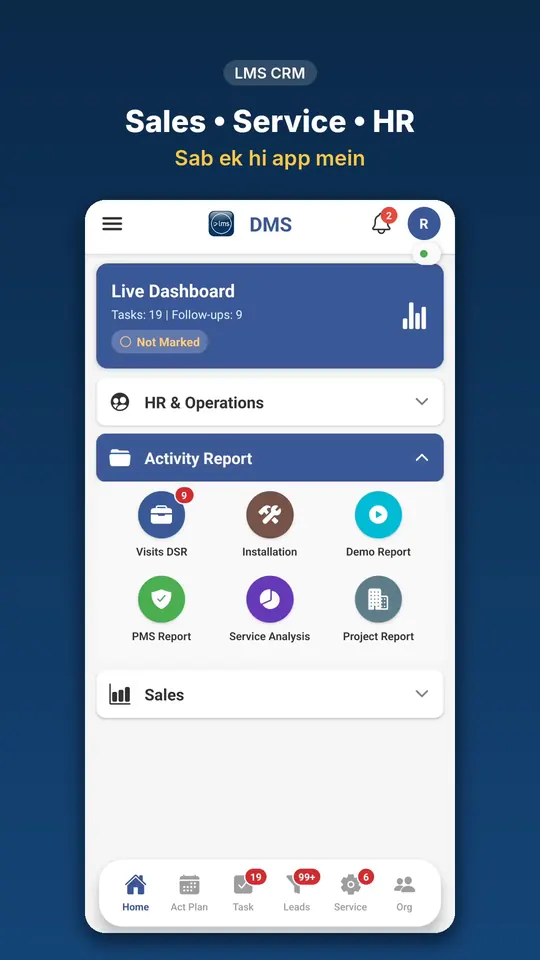
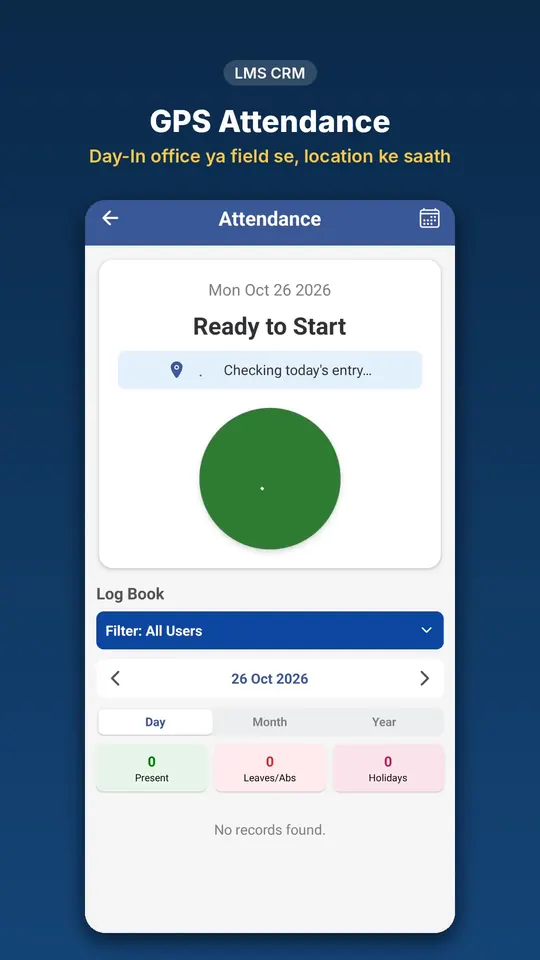
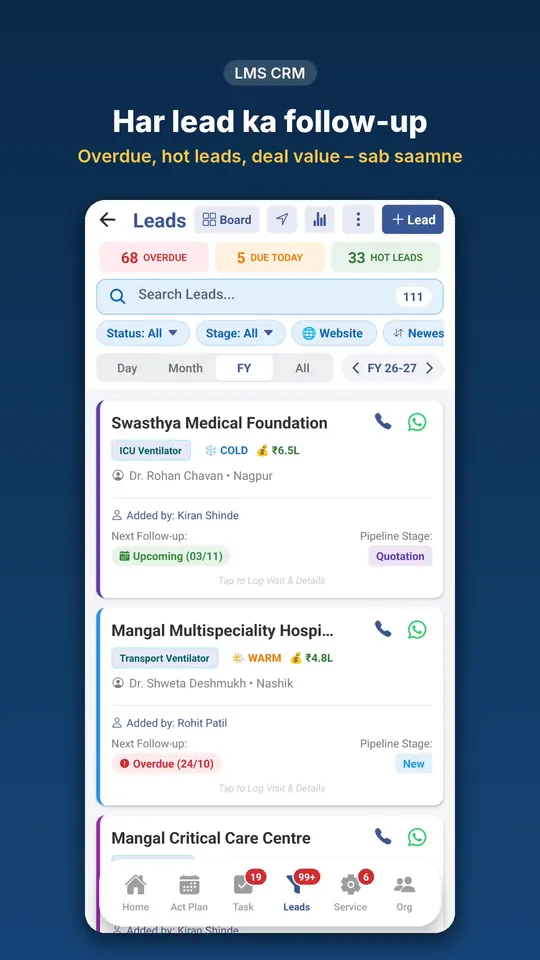
Most owners do work that a system should be doing: reminding, checking and asking for updates.
A free 10-minute demo on your own workflow — in Hindi or English.
Each company picks its own modules. Your team sees only the screens that apply to their role.
For sales teams and managers
For service engineers and coordinators
For HR, accounts and every employee
For owners and admins
Added in November 2026 and included in your plan. WhatsApp features need your own WhatsApp Business number on Meta and a WhatsApp plan.
Customer replies come into the app. Your staff answer from their phones on the company number, send photos, PDFs and quotations, and every chat goes to the right salesperson.
A welcome for new chats, an away message after office hours and answers to keywords like “price” — sent at once, free inside WhatsApp's 24-hour window.
Make your own form — exhibition enquiry, service complaint, demo request. Share the link or print the QR. Each entry becomes a lead, a service call or a task.
Stick a service-form QR on the machines you install. The hospital scans it and the complaint arrives with the machine and serial number already filled in.
One morning message: yesterday's leads, orders, collection, service calls and attendance, plus what is overdue today.
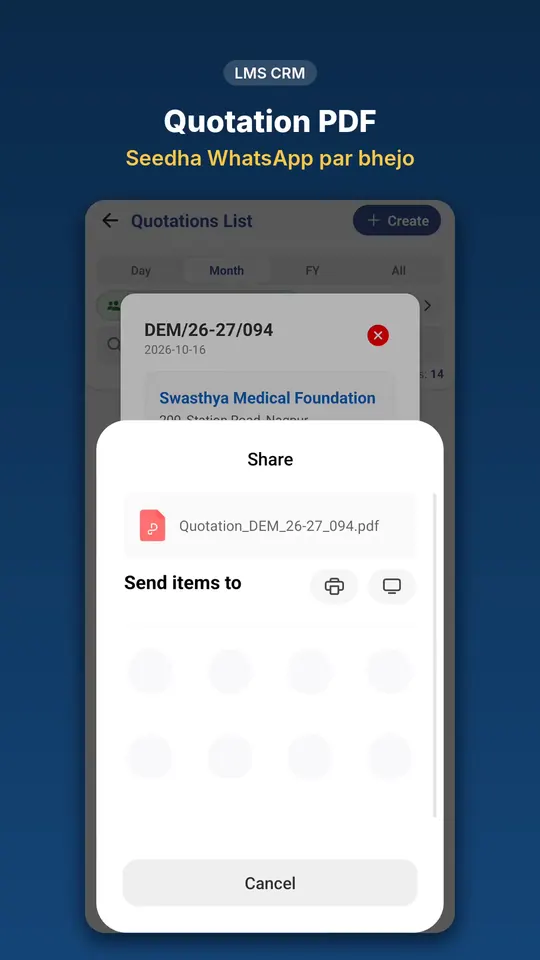
Each quotation shows Sent, Delivered, Seen on WhatsApp, Email opened or PDF opened — and the salesperson is told to call.
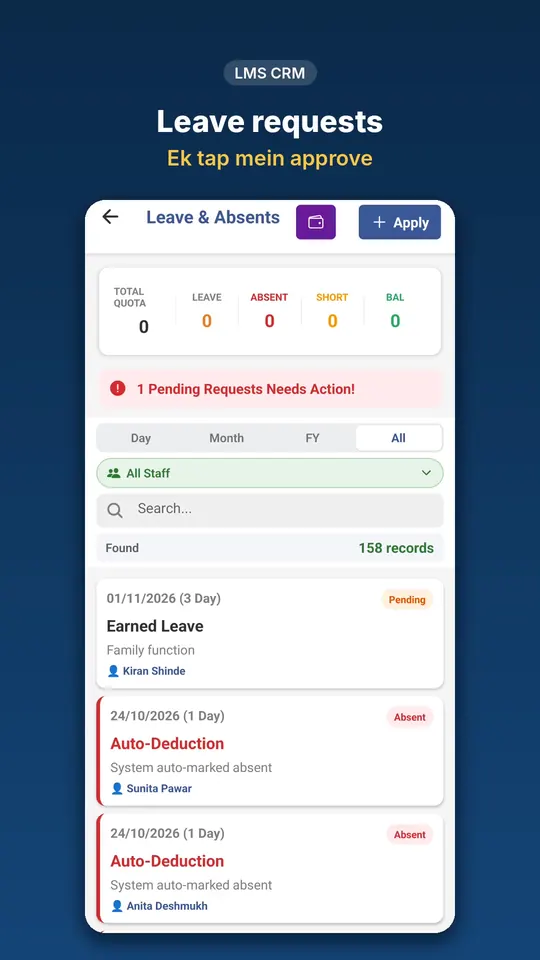
Optional selfie with Day In. Forgot to mark? Staff ask for a correction and a manager approves it — no register edits.
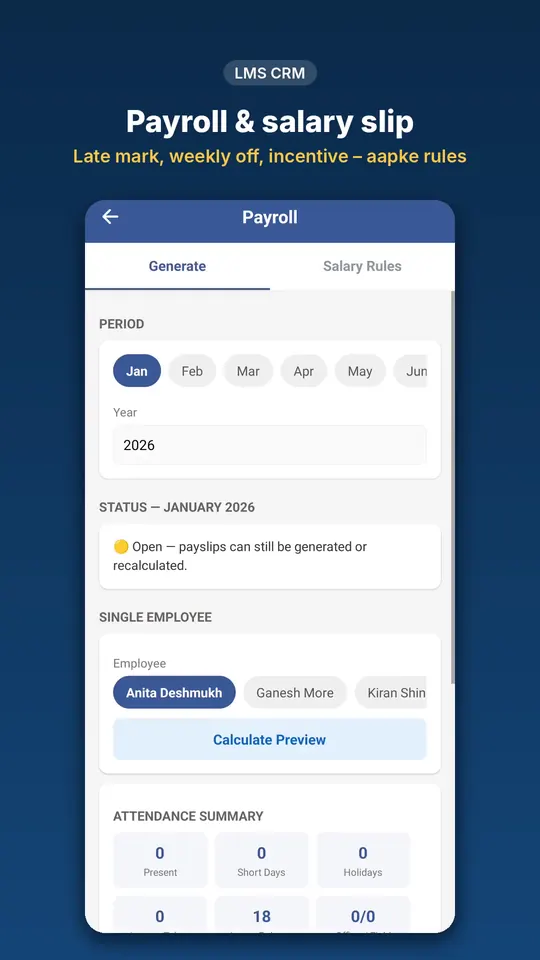
Statutory deductions on every payslip, state PT slabs, and a PF / ESI / PT Excel with totals for the challan.
Finalize a month and its payslips, leaves and holidays are locked — so the salary paid always matches the records.
Most CRMs store what your team types. LMS CRM also reminds, scans and calculates, so less gets missed.
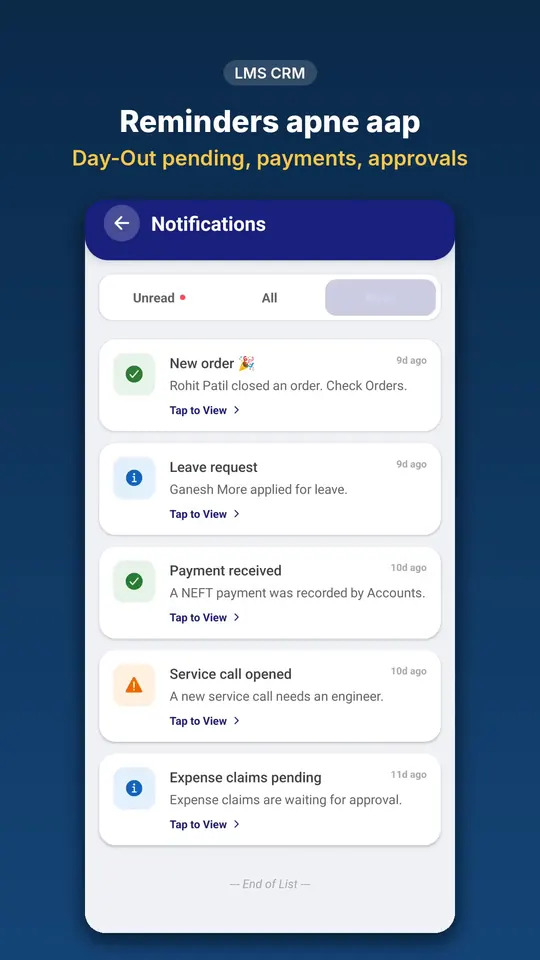
See plansEvery morning the right people get a short list: who hasn't done Day-In, approvals waiting, follow-ups due today, PMS visits due, service calls pending and spare parts running low.
When a machine's warranty is 60 or 30 days from ending, the app flags an AMC opportunity to the salesperson who handles that customer.
Take a photo of a visiting card to create the organization, or of a machine label to fill the serial number on an installation.
Plan each person's shifts for the month in the Shift Roster. A 10 PM to 6 AM shift stays one working day, late marks follow that shift's own grace time, and staff are notified when their roster changes.
Day-In to Day-Out is tracked on the Day Map, and the day's kilometres flow into the travel claim. No more guessing distances.
Enquiries from your website arrive as leads with their source, including Google and Meta ads, so you know which campaign brought the customer.
An advance taken at booking becomes a receipt, the due list updates itself, and advances given to staff are recovered from salary month by month.
If a plan or trial ends, the app turns view-only: every old record, report and salary slip can still be seen. Renew and everything is back at once.
Rupee pricing per employee, GST details on your PDFs, payment by UPI or card, and Indian states and districts built in.
Talk to the people who build the app. Questions, setup and training on WhatsApp, in English or Hindi.
Small things that save a lot of phone calls every day.
Android app for staff on the move. Attendance, visits and service work are done where the work happens.
The same account opens at app.lifelinem.com with full tables, so accounts and admin can work on a big screen.
Send quotations, receipts and reminders to customers straight from the record.
Leave, advances, expenses and travel claims reach the right person with a notification.
Each company's data is kept separate, staff see only what their role allows, and reports download to Excel.
Searchable guides for every module, so new staff can learn without a training day.
Any business with sales, service or office staff: distributors and traders, solar and electrical, CCTV and IT service, pharma and FMCG field sales, equipment dealers.
Know where your sales team is and what each visit produced.
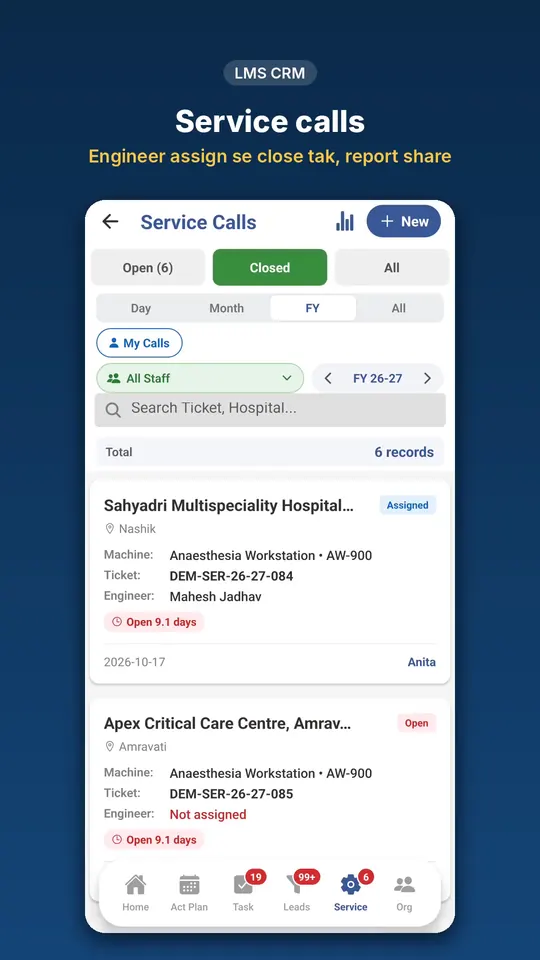
Assign calls, track engineers and keep AMC visits on time.
Replace registers and spreadsheets for attendance, leave and salary. Works for 24x7 teams too: hospitals, security, factories.
Sell to hospitals and clinics, then install and maintain what you sell.
Your team installs the app from Google Play and logs in with the email you give them.
Get it on Google PlayOpen the web app in any browser. Same login, same data, wider tables.
Open app.lifelinem.comLMS CRM was built inside Life Line Medical Systems, a medical equipment sales and service company in Nagpur. Our sales team, accounts and HR use it every day — so every feature is something we needed ourselves. The same app works for any company with sales, service or field staff.
Companies using LMS CRM
Want to see it on a real business? In the demo we show how Life Line uses it day to day — leads, attendance and salary.
Pay only for the people who use the app. Every plan includes the Android app, the web app for laptops and free updates.
WhatsApp and email automation is an optional plan for the whole company.
Buy now: enter your details and pay with Razorpay. Your plan starts at once, and your Admin login is created with the email you pay with. You set the password right after payment.
Paid but closed the page?
Already using LMS CRM? Log in and open Plan & Renewal in the menu.
Prices are in Indian rupees, plus 18% GST.
Enter your company details and choose the modules you need. Your 7-day free trial starts right away.
Create users with their role, or upload employees, products and holidays from Excel in one go.
Staff log in on their phones. You follow attendance, leads and service calls from the dashboard.
You pay per employee, and the price depends on the modules you choose. See the plans above. Prices are plus 18% GST; the checkout shows the subtotal, GST and total before you pay.
One price for the whole company, not per employee. Starter: automatic WhatsApp messages with PDF for orders, quotations, payments, service, installations and courier, plus email, with 1,000 messages a month. Growth: everything in Starter plus Broadcast to your customers, with 5,000 messages a month. Above the limit each message is ₹0.10. You connect your own WhatsApp Business number, and Meta's own message charges are paid by you directly to Meta. See the Terms of Service.
Yes. Choose a plan above and click Buy now. Enter your name, company, email and mobile, and pay. Your plan starts at once.
The app turns view-only: you and your team can still log in and see all your old data, but no new entries can be made. Renew from Plan & Renewal in the app menu and everything works again at once, with your data as it was.
Yes. Create your shifts (for example 9 AM to 6 PM and 10 PM to 6 AM), then plan each employee's month in the Shift Roster, including off days. A night shift counts as one working day, late marks use each shift's own grace time, and the roster can be downloaded to Excel.
No, it is optional. Add it at checkout or later in Company Profile if you want it on your documents.
Today the mobile app is on Android. iPhone users can use the web app at app.lifelinem.com in their browser.
Yes. Company profile, employees, products and holidays can be uploaded from ready-made Excel templates in Team & Settings, Setup. Customers are added in the app, or by scanning their visiting card.
No, not unless you allow it. Each role sees only its own screens, and an admin decides the permissions.
No. Turn on only Sales, Service or HR, or any mix. You can add modules later.
No. Start with one module — for example leads or attendance — and add the rest later. Employees, products and holidays come in from Excel, and we help you set it up on a call. Customers still talk to you on WhatsApp; with a WhatsApp plan the CRM sends quotations and replies from your company number.
Yes. Field staff mainly tap Day In, Day Out and update their visits or service calls. The app has a searchable help guide, and we answer questions on WhatsApp in Hindi or English.
Each company's data is kept separate, every person sees only what their role allows, and changes to salaries, permissions and deletions are recorded in History. You can download your reports to Excel at any time, and if a plan ends the data stays visible (view-only).
Yes. In the demo we walk through your process and help you set up users, products and modules.
Tell us a little about your company. We will call you to fix a time and show LMS CRM with your own workflow.
Prefer WhatsApp? Message us on +91 70302 23307
